
Screenshots
About Clock Vault-Hide Photos,Videos
Clock Vault-Hide Photos,Videos is a privacy protection app that disguises a secure photo and video locker as an ordinary clock on your home screen. Keep your most sensitive files hidden behind a unique time-based password that only you know, protecting personal photos, videos, and documents from prying eyes.
Your privacy matters. Instead of a traditional password, Clock Vault uses an innovative clock interface where you set the hour and minute hands to create your secret access code. This disguised vault keeps your gallery completely separate from your device's standard photo library, ensuring no one can accidentally—or intentionally—discover your private content.
Hide photos and videos with ease. Import media directly into your secure vault, crop and rotate images within the viewer, and organize files into custom albums with personalized folder covers. The built-in video player supports multiple formats, letting you watch your videos without leaving the app. A private browser also lets you download photos and videos from the internet directly into your vault, leaving no browsing history on your device.
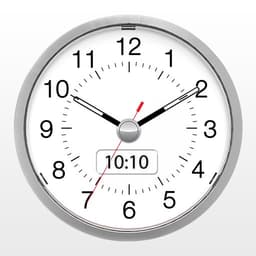
Security features work your way. Enable fingerprint unlock on compatible devices for quick access without typing your time password. Worried about forced access? The decoy vault feature protects your real files by displaying a fake gallery when an incorrect password is entered—giving you peace of mind in uncomfortable situations. Forgot your time code? Simply set the clock to 10:10 and press the center button to access password recovery options.
Back up your files to stay safe. Cloud backup safeguards your most important media in personal online storage, protecting against device loss, damage, or theft. Your files are encrypted and accessible only through the app. You can easily restore your vault to a new device or after a factory reset—but remember to back up before uninstalling or resetting your phone, as local files cannot be recovered otherwise.
Customize your disguise. Change the launcher icon from a clock to a calculator, weather app, music player, or other everyday icons. The more inconspicuous your vault looks, the safer your files stay.
Clock Vault-Hide Photos,Videos gives you complete control over who sees what on your device. Download today and experience true privacy.
Pros & Cons
Pros
- Time-based password creates unique, memorable access code
- Decoy vault displays fake gallery on incorrect password entry
- Built-in video player and private browser eliminate external app traces
- Cloud backup with encryption protects files against device loss
Cons
- No local file recovery after uninstall or factory reset
- Requires careful backup management to avoid permanent data loss
- Cloud backup and additional features likely require paid subscription
- Fingerprint unlock unavailable on devices without compatible hardware
Related Apps

AlienGUIse
Desktop themes and manager for Windows — transform your system with 5 futuristic designs.

SharpKeys
Remap keyboard keys to launch apps, media controls, and custom commands on Windows.

RocketDock
Desktop launcher for Windows — quick access dock with customizable icons and positioning.

Custom Resolution Utility (CRU)
Display resolution utility: Create custom resolutions for your monitor with precise refresh rate control.

Lagguy Wallpapers
Lagguy
4K & HD wallpapers for Android — minimal, abstract, nature, AMOLED designs with lifetime access

Lock Screen OS
Apps Genz
Customize your lock screen with widgets, photos, and notifications. Replace Android's default lock screen.
Latest Articles

Play a free Color Ball Sort Puzzle-style game in your browser (no download)
Oct 6, 2026

Play a free Beach Buggy Racing-style kart racer in your browser (no download)
Oct 6, 2026

Play a free Alto's Adventure-style game in your browser (no download)
Oct 6, 2026

Free online whiteboard like Jamboard: use Quickboard in your browser, no signup
Oct 6, 2026

Free online running pace calculator: splits, race predictor and daily challenge, no download
Oct 6, 2026